


cPanel Webmail applications generally default to the time zone set by the host server. However, if you are located in a different time zone, you have the option to modify this setting. The procedure for changing the time zone varies depending on the specific webmail application you’re using. After you adjust the time zone setting, the interface will instantly show all timestamps in the updated time zone.
Our hosting servers are located in the EST/EDT time zone.
This guide explains how to change the time zone settings in your cPanel webmail application.
1. Log into your Webmail.
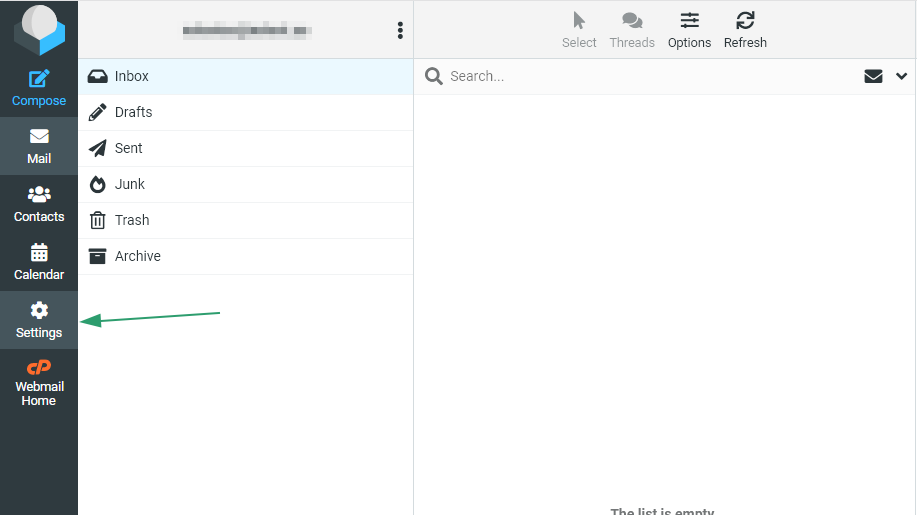
2. Click Settings:
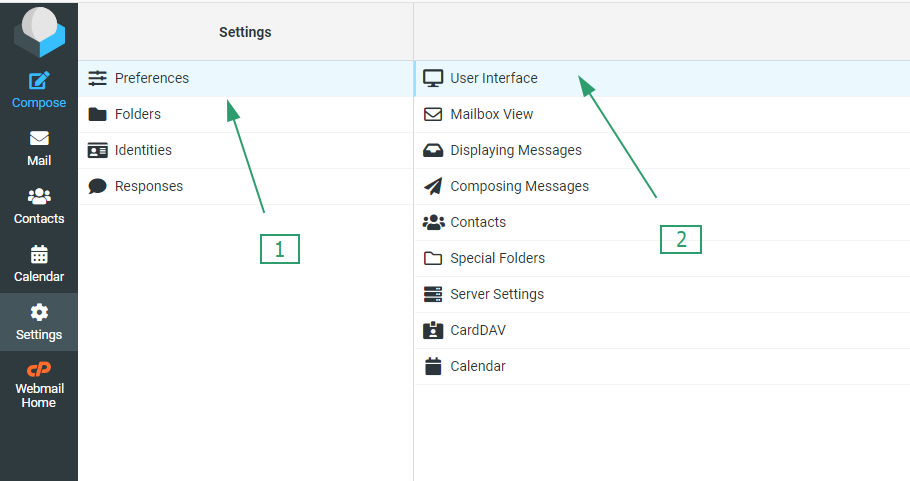
3. Click on “Preferences,” then select “User Interface.”
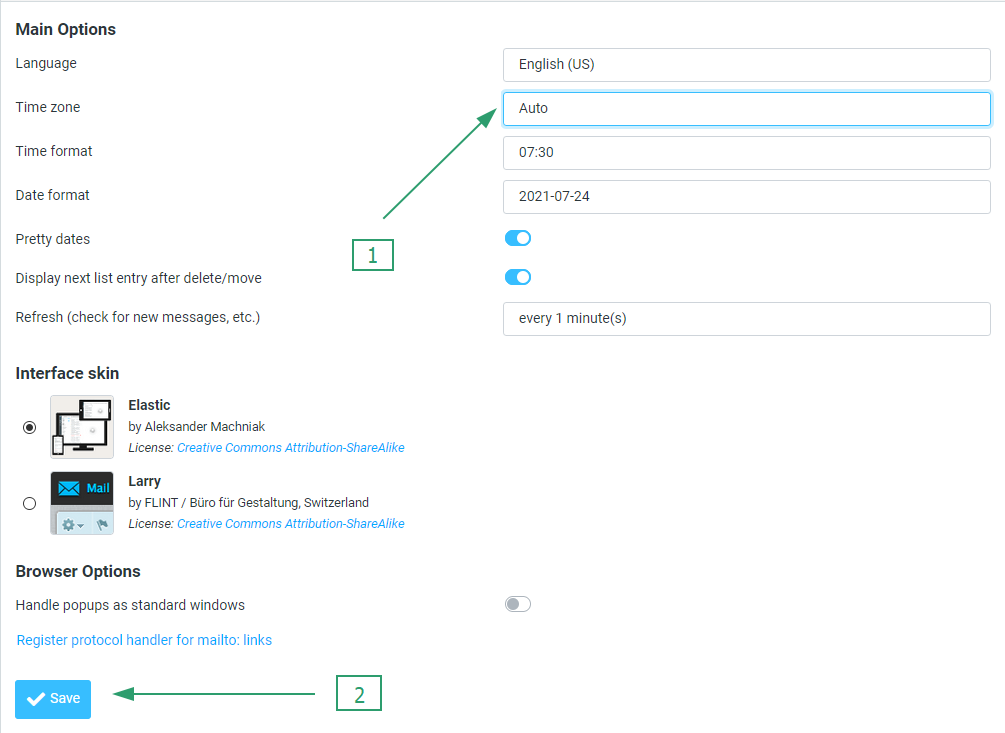
4. Choose your time zone from the drop-down menu, and then click “Save.
That’s the end